Product · Rundown and live

Written in the afternoon.
Driven at 19:00.
One document.

The rundown is not exported into the console. It is the same rows, in the same order, read by the same people — the surface changes register when the transmission block opens, and nothing is carried across by hand.

01 · The editor

A running total that argues back.

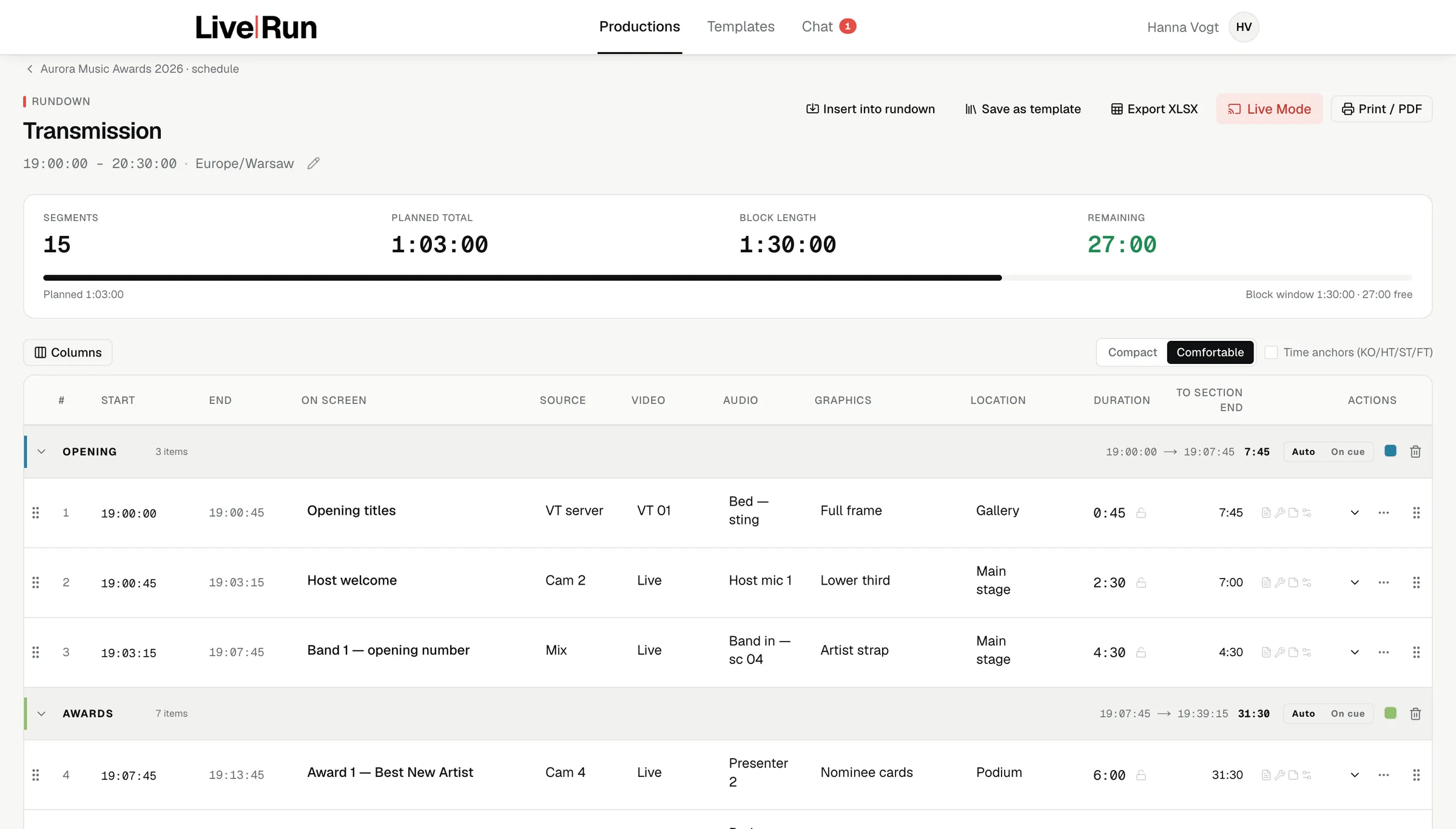
Segments with durations, sources, video, audio, graphics, location and notes, adding up against the block window as you type. The screenshot reads 1:03:00 written into a 1:30:00 block, 27:00 still free — so nobody finds out at the read-through that the running order is twenty minutes long.

Columns are yours: switch them on, reorder them, pin the ones that never move. The order you set is the order the operator scans in the console. You are not filling in a spreadsheet; you are building the view somebody will read at speed with a show on air.

LiveRun rundown editor: the transmission block from 19:00 to 20:30 with fifteen segments in sections, each carrying source, video, audio, graphics, location and duration, and a counter for the free time left in the block
Rundown editor15 segments · 1:03:00 in a 1:30:00 block27:00 free
02 · Sections

A show has parts, and the parts have their own clocks.

Segments group into sections — opening, awards, closing — and each section carries its own item count and its own running time. Every row also shows the time left to the end of its section, which is the number a director actually watches when a section has to hand over on time.

03 · Locks and anchors

Some durations are not yours to change.

Lock a pre-recorded VT, an EVS clip or a contracted sponsor billboard and nothing in the product will shorten it, because shortening it in software does not make it any shorter. Anchor a segment to an absolute time for sport and it stays there — moving the start of the rundown does not drag a captured anchor with it.

04 · Templates

A show you have run forty times starts as a skeleton.

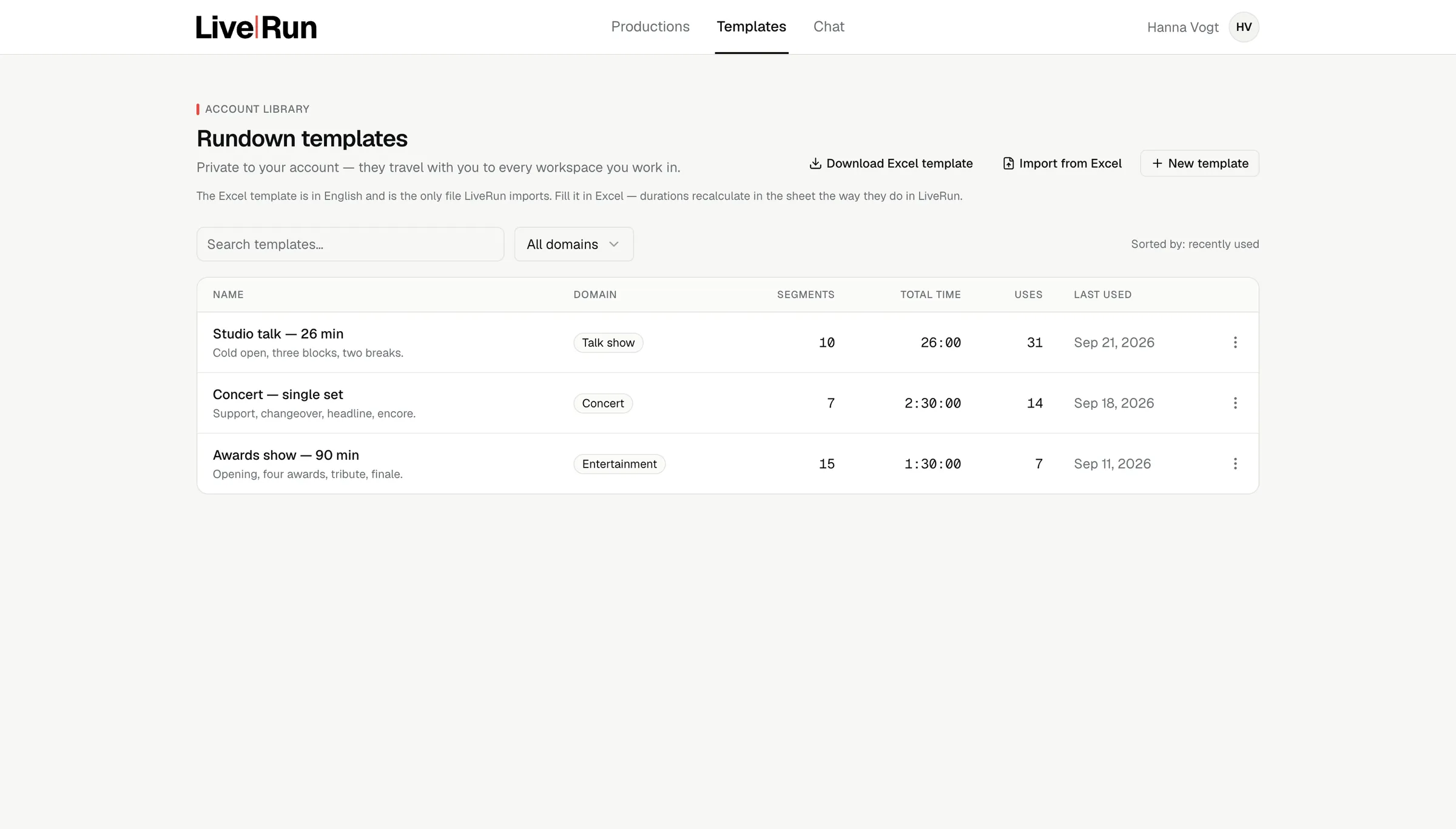
Save any rundown as a template and it lands in a library held on your account, not in the workspace you happened to be in. It travels to the next client, and the client never sees it. A template carries no clock times — only durations and anchors — so the same skeleton drops into a block starting at 09:00 or at 22:45 and still adds up. The column layout comes with it.

LiveRun template library: saved rundown formats reusable across productions
TemplatesHeld on your account, not the client’s
05 · The console

Positions never move.
Only values change.

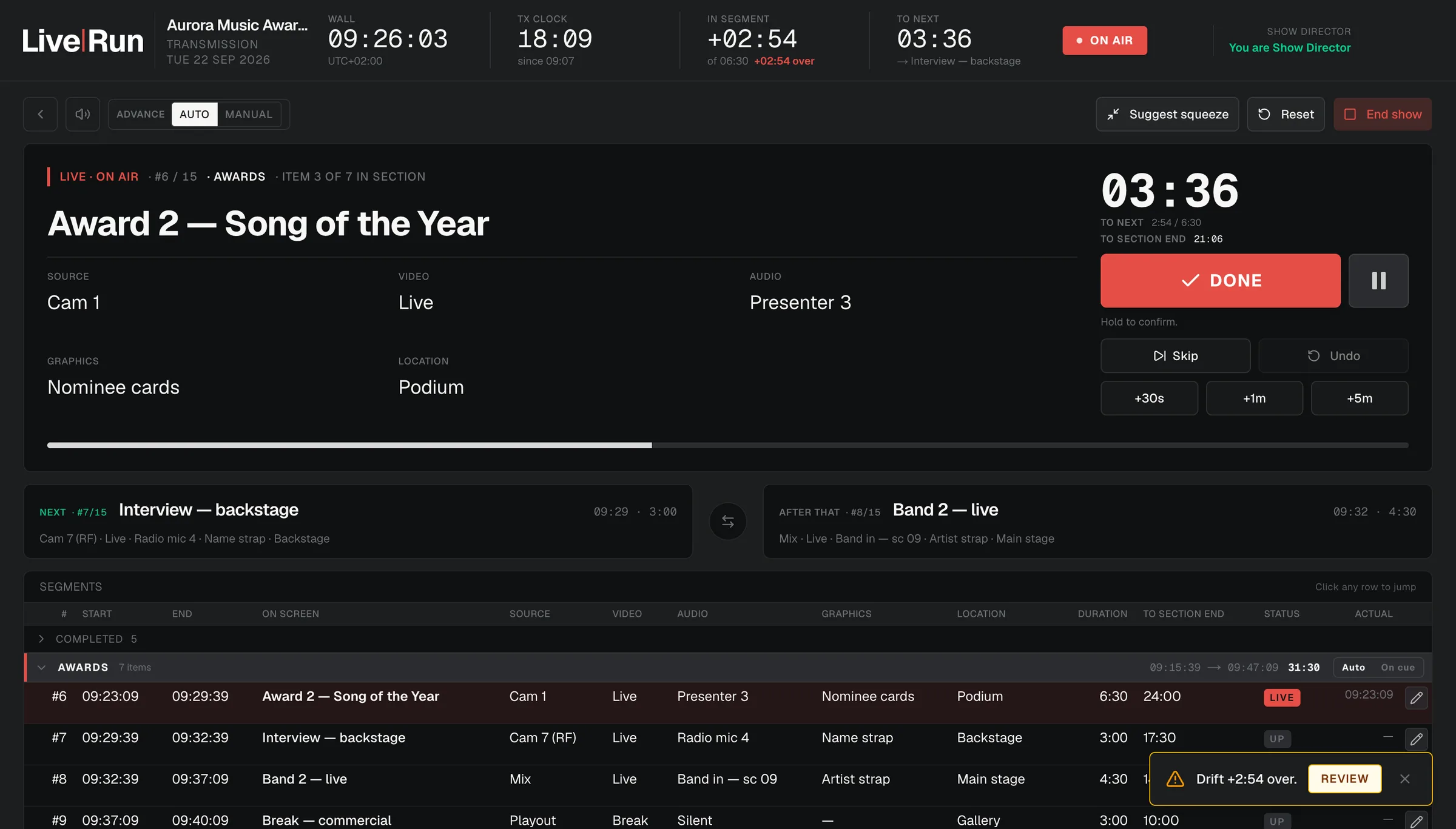
Four clocks that do not disagree: the wall, the transmission clock, time in the current segment and time to the next. Fixed geometry, so the operator never hunts for a number that has drifted somewhere else on the screen. The current segment, the next two, and the full timeline underneath. Advance on cue or by hand. DONE, SKIP, JUMP and undo, each one a single transaction.

When the network drops, the console says how old the data is rather than what the socket is doing — and it does not return the director to a login screen mid-show.

LiveRun live console on air: wall clock, transmission clock, time in segment with drift, time to next, the current segment panel, the next two segments and the full segment timeline
Live console · show directorSegment 6 of 15On air
1 / 3
06 · Hold

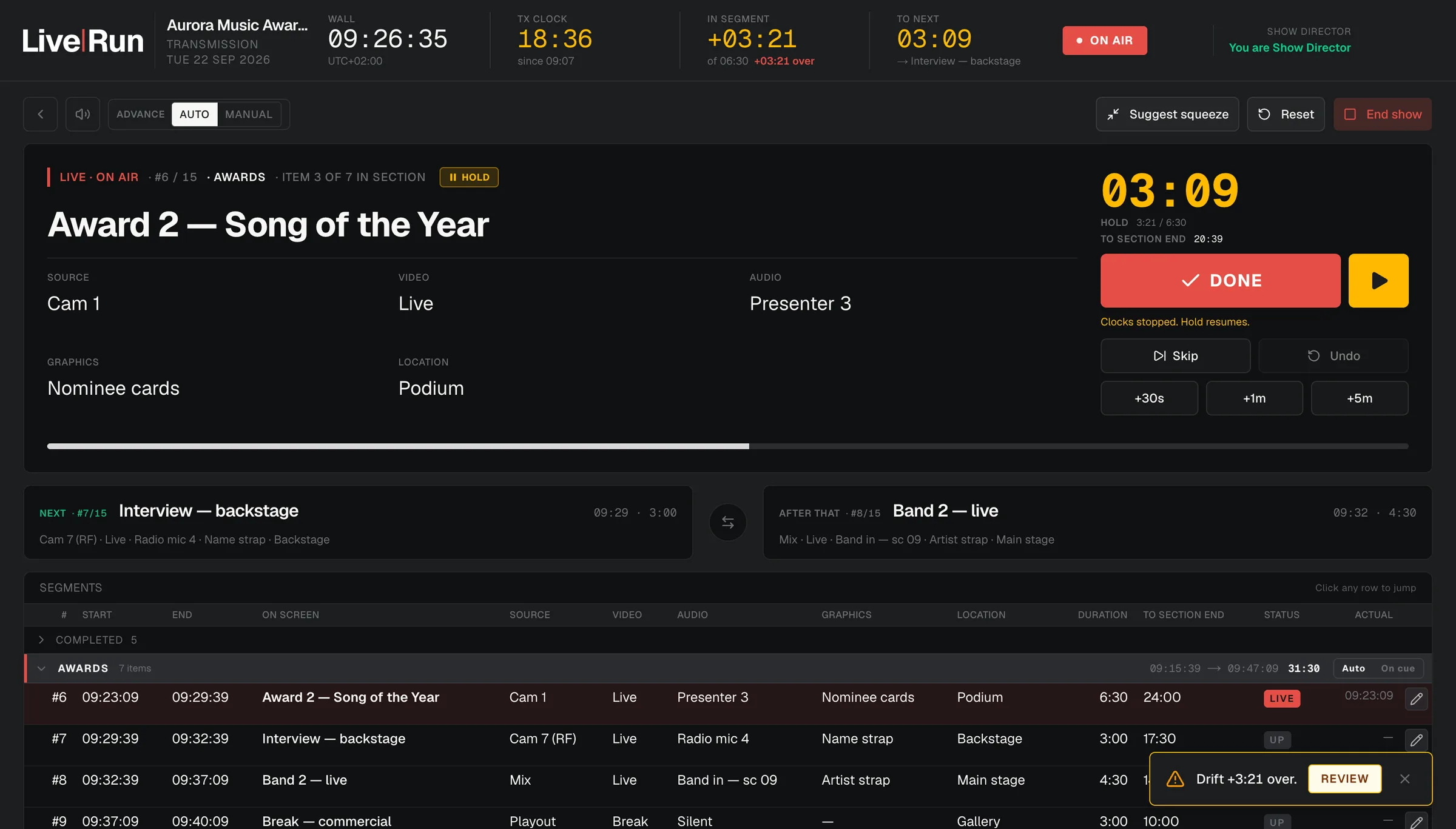
The clock stops. The plan does not.

Something is not ready; the clocks stop and say so in amber. The segment keeps its planned length, the show keeps its shape, and the moment it resumes the arithmetic picks up where it left off.

07 · Squeeze

Running long. Where does it come from?

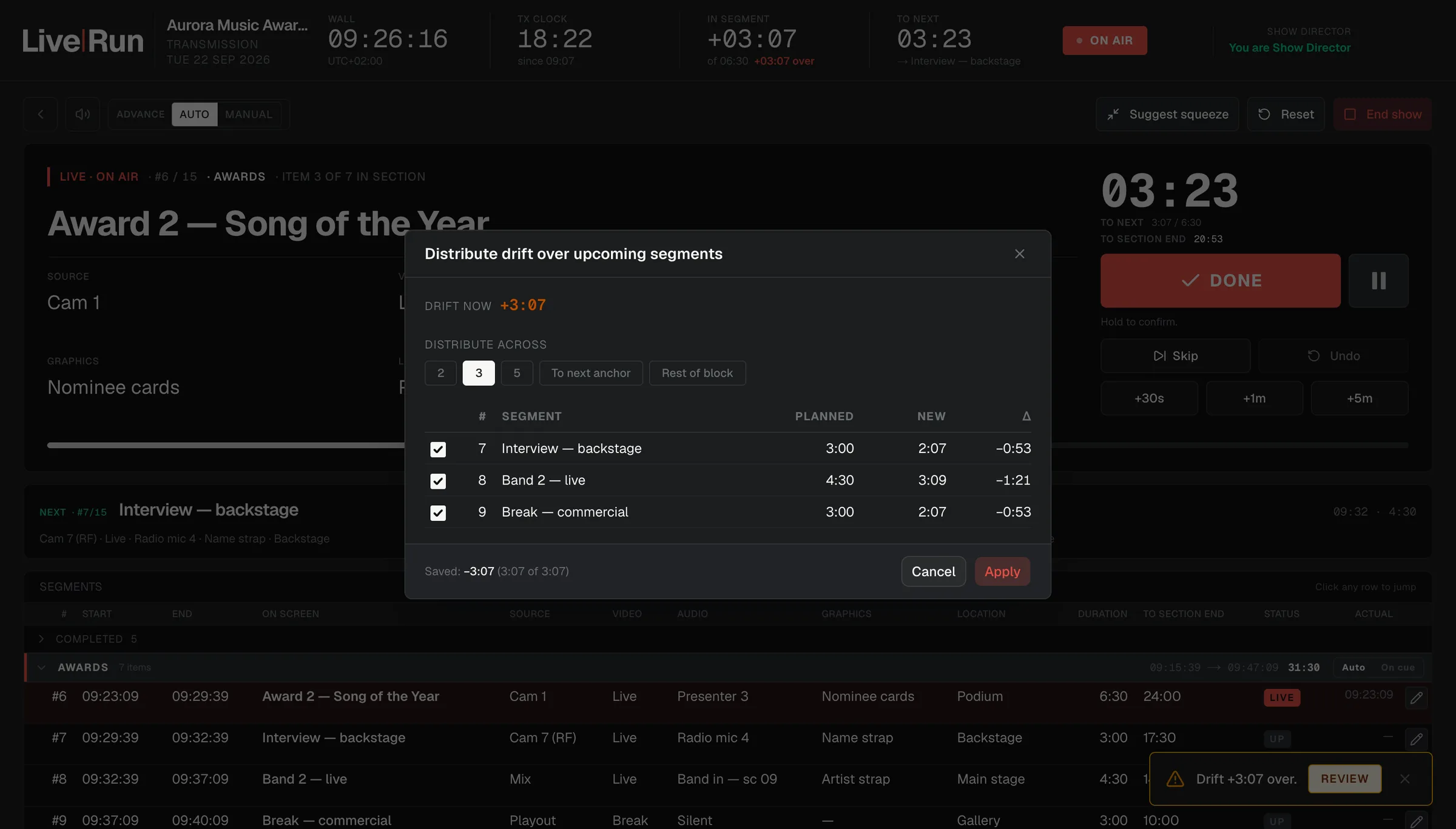
When the show goes over, it offers to distribute the drift across what is still to come. Choose the range — the next two, three or five items, the rest of the block, or up to the next anchor — and the proposal arrives as a table: every upcoming segment, its planned duration, its new one, and the difference.

It will not touch a locked duration or an anchored segment, and it says why it skipped them. Nothing drops below fifteen seconds, and the remainder is redistributed across the rest. If the show cannot be fully recovered it reports exactly how much it could not find, rather than pretending.
08 · Three chairs

One director drives. The others are still working.

A production takes up to three show directors, and none of them costs the customer a seat. Before the show that is three people shaping the same running order instead of mailing versions of it around. During the show it is a backup one click away from the chair, and a change can land while the show is on: one director drives, another edits alongside the producer, and the running order under the operator updates as they work.

Every segment carries the name of whoever last touched its script or its notes, so the person driving is never quietly overtaken by an edit they did not make. The chair itself can be handed over mid-show, confirmed by name, without the show stopping.

09 · Script

On the console, for the people who need it there.

Script and technical notes sit in a dock beside the running order for the producer, the show directors and the operator. Team leaders and crew do not see them, and that limit is in the database, not in the interface.